Don't Get Fired At Work Work Tasks: How to Do Them and Track Progress
Don't Get Fired At Work work tasks: which button clears each popup, how the work percentage shows progress, and what finished work earns.
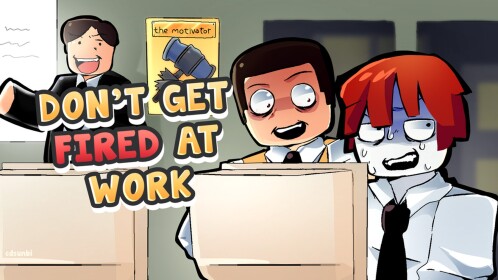
Working in Don't Get Fired At Work is a fast clicking game. Tasks pop up on your screen one after another, and you clear each one by pressing the labeled button that fits the message. While a work round is running, a work-percentage readout tracks how you're doing: correct actions add to it, so if the number is climbing, your work is registering.
How to do work tasks
Work kicks off when the boss calls a meeting — the classic session starts at 1:00 p.m. with an “everyone, do your work” — and popup tasks start streaming in. Each popup is a short email, call, or request with action buttons on it. Read the message and click the response that fits:
| Button | When to use it |
|---|---|
| Approve | Sign off on routine requests, such as expense reports |
| Delete | Bin junk, like the scam email asking for your bank details |
| Forward | Pass an email along to someone else |
| Decline | Turn something down, like a call from an unknown number |
| Send / Reply | Answer messages, from letter requests to the recurring “missing red stapler” email |
Most of the job is judgment at a glance: obvious junk gets deleted, unknown callers get declined, routine requests get approved.
Device tasks
Hardware problems interrupt the email stream with their own interactions:
- Fix laptop — click to smack the laptop until it's working again.
- A computer that stops to “update” mid-round.
- Paper jam — cleared by asking the printer to unjam itself.
- Bait ads like the “1 million free Robux” link — clicking it gives you a virus, so skip anything that looks too good to be true.
Hack and Scan prompts
Some rounds mix in Hack and Scan buttons (one ran as “hack, scan network”). Be careful with them: a wrong hack choice can backfire on you, and other players can hack you mid-round. A “Hack interrupted” message means someone just broke your workflow — and a hack that lands can take your work with it. Our digital sabotage page covers these attacks in detail.
How to tell the work is registering
Watch the work percentage while the round runs. Correct clicks add to it — streaks of right answers trigger pops like “+21% work”, and the number keeps climbing until a batch is finished. It can drop, too: a backfiring hack takes work away instead of adding it, and other players' hacks can steal your progress.
The game signals completion directly as well. Work arrives in batches, so clearing the first batch rolls straight into work number two. Time cues pace the round — “It's 3:30. You're halfway through your meeting,” then “Last 60 seconds. Finish your work before 6” — and when the boss announces “Meeting's over. You're all working on Saturday,” the session is done.
What completed work earns you
How much work you did ranks you on a leaderboard that pays out bobux to spend on upgrades, and then the day rolls into a mini-game or two. Make it through a full day without being fired and you can also earn a promotion, which comes with more pay, a signing bonus, and more per task.
Don't let stress spike while you click
Working drives your stress meter up, and if it hits the top you shut down on the spot. Accuracy keeps it flat: a streak of correct actions holds the meter steady (exact combo counts vary by session). Reading each popup before clicking beats mashing buttons — a wrong click costs progress and stress at the same time. If the meter is your recurring problem, our how not to get fired guide has more ways to keep it down.
New to the office? Start with our survival guides, and how not to get fired covers the rest of what ends a career early.
Related Guides
What Gets You Fired and How to Stay Employed
See the two fail conditions, a maxed stress meter and a mid-round firing, plus the habits that keep your job safe.
Printer Event: Paper Jam Messages
Recognize the repeated paper jam messages hiding in your work feed and keep the feed moving without losing the day.
Every Minigame and How to Win
Every office minigame in one place: when each round triggers, the exact actions that complete it, and how to win.