Don't Get Fired At Work Printer Event: How to Spot the Paper Jam Messages
The printer event in Don't Get Fired At Work arrives as repeated 'Paper jam' messages in your regular work feed. Here's how to recognize them and how to keep handling the feed.
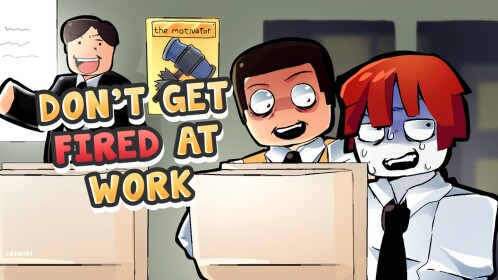
In Don't Get Fired At Work, the paper-jam printer incident doesn't come with a cutscene, a special prompt or a trip across the office. It arrives the way everything else at this job does: as messages in the work feed you're already triaging. You recognize it by the repeated "Paper jam" lines, and you handle it with the same Approve, Delete, Forward and Decline buttons you use on every other message.
How to recognize the paper-jam messages
Watch for "Paper jam" appearing inline in your normal stream of work messages. In one recorded workday run, it showed up as three back-to-back lines — "Paper jam. Paper jam. Paper jam." — right between ordinary dispositions ("Approve. Forward. Approve. Forward." just before, "Forward. Forward. Delete. Approve." right after). The feed doesn't pause or open a separate printer screen; the jam is simply part of the mail you're processing, arriving during regular desk work like any other message.
The same stretch also included a line addressed to the printer itself: "Dear printer, please unjam yourself. Thank you." That wording comes from captioned gameplay footage, so it isn't clear whether it was in-game feed text or the player joking into the microphone. Treat the repeated "Paper jam" lines as the dependable recognition signal, and the unjam-yourself line as flavor from the same moment rather than an instruction.
Handling the feed while the jam is happening
The work feed runs on one simple mechanic: each message gets a disposition — Approve, Delete, Forward or Decline. Decline is part of the same set even though it turns up less often in play; one recorded message was sent off with "Decline for my dog."
When the paper-jam lines hit, the player never left the feed: they answered "Forward. Forward. Delete. Approve." and moved on to the next messages. No separate printer minigame or errand to a specific spot appears alongside the jam, and no specific disposition is known to be required for the jam messages themselves — they're resolved like everything else in the stream: read, pick a disposition, next.
Why random clicking is still a bad idea
The feed has real consequences. In the same session, when the player deliberately started handling messages wrong — "Let's see what happens if we start getting things wrong..." — the character fainted and died ("I fainted. I DIED."). That test wasn't about the printer jam specifically; it shows what mishandling the stream in general can cost you. So when the "Paper jam" spam rolls in, keep making sensible picks instead of mashing buttons.
The printer incident is one of many interruptions covered in our Don't Get Fired At Work event guides, and keeping the message feed under control is a core part of the daily work tasks. For the bigger picture of surviving the office, see the how not to get fired guide.