
Don't Get Fired At Work Wiki
Stay employed by finishing office work and keeping stress in check. Random events, hacking, paper throws, and chair skins make the workplace chaotic.
Game Updates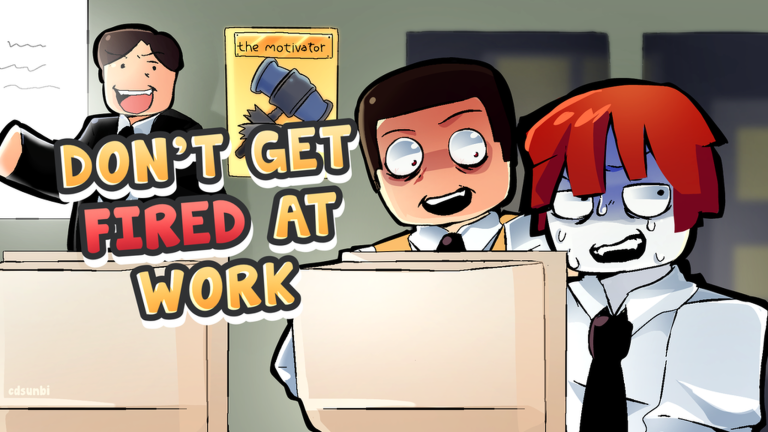
How Not to Get Fired
The two things that end a workday and the habits that keep you employed until 6 p.m.
Two things end your day: a maxed stress meter and a mid-round firing
The official goal is to manage stress and complete work without getting fired; these habits keep you employed until the 6 p.m. deadline.
In one session a player who deliberately started getting tasks wrong fainted shortly after.
Keep the email streak clean
Correct answers hold stress flat — one player kept a roughly 95-correct streak with a still meter. Delete scam mail like bank-info requests and free-Robux bait.
Buy relief before the meter maxes
The shop sells stress relief for in-round cash: a Button to squeeze (-8) and an Old phone (-20).
Do what the boss says in meetings
Stop work, raise your hand when your name is called and get back to your seat — treat every command as mandatory.
Clean up sabotage fast
Run the scan or hack-defense minigame when prompted, fix a broken laptop and get straight back to the queue.
Survive to the payout
Work is ranked at the day's 6 p.m. deadline; leaderboard cash funds tomorrow's stress relief.
Explore the Wiki
Browse survival basics, office events, chair skins, game updates, and the current codes list.
What Is Don't Get Fired At Work?
Don't Get Fired At Work is a Roblox survival game for PC and mobile, set during a workplace meeting with an impatient boss. Players share a hectic office and try to stay employed while the situation keeps changing.
Explore Survival GuidesDeveloper
BLURSFUN COMMUNITY
Platform
Roblox
Genre
Survival
First Published
Sep 29, 2026
Setting
Office Meeting
Main Goal
Avoid Getting Fired
Main Systems
Work, Stress, and Events
Max Players
10
Latest Guides
Work Task Buttons
Which button clears each popup in the work feed, and how the work percentage tracks your progress.
| Button | When to use it |
|---|---|
| Approve | Sign off on routine requests, such as expense reports |
| Delete | Bin junk, like the scam email asking for your bank details |
| Forward | Pass an email along to someone else |
| Decline | Turn something down, like a call from an unknown number |
| Send / Reply | Answer messages, from letter requests to the missing red stapler |
Minigame Trigger Guide
Every minigame in the rotation with when it starts and what wins it.
| Minigame | Trigger | How you win |
|---|---|---|
| Hack | You launch it from the work screen | Press the W/A/S/D sequence to steal part of the target's work |
| Laptop free-for-all | The boss leaves for a meeting | Lead on smacking points when it ends |
| Paper War | An office-wide event during the day | Your assigned color side wins |
| Boss's roll call | The boss stops work in a meeting | Raise your hand when your name is called |
| Paper-throwing at the boss | Boss day off | Keep landing paper-ball hits until a winner is declared |
| Musical Chairs | Boss day off | Be the last player seated |
| Hot Coffee | Day-off and break-time rounds | Be empty-handed when the round ends |
| Find the Button | Day off or early-day session | Collect every hidden button first |
| Skeleton fight | Limited-time Halloween event | Kill the skeleton for the event badge |
Skeleton Boss Walkthrough
The meeting that drops the office into hell, and the three-stage fight that sends the skeleton back.
A meeting casts the whole office into the afterlife
The encounter starts on its own mid-workday: the lights cut out, the office lands in hell, and a giant skeleton greets everyone. Shoot through three stages to send him back to the grave.
Start shooting as soon as the skeleton appears
Stage 1 begins the moment the greeting lands — no setup needed.
Keep firing through stage two
The stage-two callout changes nothing about your job yet.
Dodge while you shoot in stage three
The skeleton starts attacking back, so dodging joins shooting.
Finish with sustained group fire
The fight ends with everyone firing; you return to the office and the workday resumes.
Limited Halloween Chair
How to earn the limited coffin chair the game advertises before the Halloween event closes.
Play during the event window
Before event closeThe first Halloween event was scheduled to close October 31 at 9:55 a.m. Pacific / 12:55 p.m. Eastern — confirm it is still live in-game.
Play the event's games through to the end
Event play is the described way to earn the limited chair at the end.
See the skeleton fight through
One Halloween run reached the coffin-chair unlock after winning the day's games and reaching the afterlife fight.
Equip the coffin chair and show it off
It works like any other chair skin — sit down and let the office see it.
How Hacking Works
Where the Hack button lives, how the challenge plays out, and what a successful hack steals.
Join a work round
The Hack option sits in the work screen next to Approve, Delete and Scan.
Press Hack and pick a target
The challenge opens against another employee in the office.
Hit the W/A/S/D prompts in order
Some runs use different prompts, so read what appears on screen.
Finish the sequence to steal
Completed runs have shown 15% and 21% of the target's work transferred to you.
Building Fire Survival
What to do when the office catches fire mid-shift: keep the loop going through the smoke.
Keep handling emails
No fire button or evacuation prompt appears — the workday simply keeps going.
Play minigames when they pop up
Paper War and other rounds still run mid-fire in the demonstrated day.
Expect the smoke to slow you down
Breathing trouble and sluggish movement build as the day goes on; exact values are not shown in-game.
Keep the loop until the timer ends
In the shown fire day the fire was still burning at the deadline and the day ended normally — with the win.
Boss Dance Check
What the boss's 'Let me break it down for you' demand means and how the performance check ends.
Recognize the cue
The boss picks you out with 'You' and demands 'Let me break it down for you'.
Dance on the spot
The performance itself is the requirement; no keybind is confirmed in source footage.
Wait for the approval line
'Good job, son. Now, get back to work' ends the event — no turn-in step, no score.
Codes and rewards
Current code availability, rewards and source-check dates.
No codes are currently reported working.
Frequently Asked Questions
Quick answers about the codes list, update tracking, and where new players should start.
Ready for Another Office Shift?
Check the codes list, explore the guides, or jump back into the office and try to keep your job.