
Don't Get Fired At Work: What Gets You Fired and How to Stay Employed
The two things that take you out of a Don't Get Fired At Work day — a maxed stress meter and a mid-round firing — plus the habits that keep you employed: correct email streaks, shop items and boss meeting compliance.
You go out of a day in Don't Get Fired At Work one of two ways: your stress meter hits the top, or the boss fires you mid-round. The official goal is to manage your stress and complete your work without getting fired, and everything that decides your run happens inside that loop — an email queue to clear, a stress percentage to keep down, and a boss whose meeting commands you follow. Here's what ends runs, and what keeps you employed until the 6 p.m. deadline.
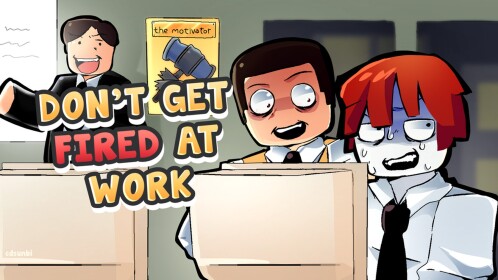
The two out-states
A maxed stress meter. Stress climbs as you play and shows as a percentage. At the top, you shut down and are out for the moment — one player near 100 “shut down from too much stress,” and another who fainted simply announced “I DIED.” Keep the meter off the ceiling and you keep your seat.
A mid-round firing. Getting fired during the day forfeits that day's standing: one fired player missed the top three and figured the mid-day firing was why, and another saw “you've been sent to the HR” and was out on the spot. Firings strike during the workday, so the practical play is to keep both pressure points — the meter and the boss — quiet at all times.
Keep the email streak clean
Work is a stream of quick decisions — approve, delete, forward, decline, send — with minigame interruptions like scan and hack defense mixed in. Correct answers are your shield: one player watched their stress stay flat through a streak of roughly 95 correct tasks, concluding that as long as you're good at your job, the meter doesn't move. Mistakes do the opposite — in one session, a player who deliberately started getting tasks wrong fainted shortly after. The work tasks page covers the queue in detail.
Treat the queue's junk mail seriously too. “Send your bank info” requests and “1 million free Robux” pop-ups are scams; one player clicked and picked up a virus. Delete or decline anything suspicious and move on.
Buy relief before the meter maxes
When chaos spikes your stress, the shop sells relief for the in-round cash you earn:
| Item | Stress reduction |
|---|---|
| Button (squeeze it) | −8 |
| Old phone | −20 |
Grabbing the old phone for a −20 swing is the difference between a manageable afternoon and a “nearly 100” panic.
Do what the boss says in meetings
Meetings are scripted stress tests: the boss orders “Everyone do your work,” “Stop your work. When I call your name, raise your hand,” and “Get back to your seats.” Players who stop, raise a hand when named and return to their seats continue the round as normal. It isn't clear what refusing costs, so treat every command as mandatory.
Clean up sabotage fast
Hacking and paper-throwing are official sabotage features, and being a target interrupts your work — hacked players can get hit with a forced system update, and a paper ball can blue-screen your laptop. Run the scan or hack-defense minigame when prompted, fix the laptop when it breaks, and get straight back to the queue so stress doesn't snowball. Both attacks are covered in digital sabotage.
Survive to the payout
The day ends at a “finish your work before 6” deadline — even when the boss declares “you're all working on Saturday.” Results are then ranked, the leaderboard pays in-round cash for upgrades, and break-time minigames run before the next day starts. The more work you complete, the higher you place — so staying employed is also how you fund tomorrow's stress relief. Skim random events so a surprise doesn't catch you off guard.
See the whole loop run in one session — emails, boss meetings, a hack, the dance check and the payout:
Related Guides
Work Tasks and Progress Tracking
Learn which button clears each work popup, how the work percentage tracks progress, and what finished tasks earn you.
Every Minigame and How to Win
Every office minigame in one place: when each round triggers, the exact actions that complete it, and how to win.
How to Hack Other Players
Find where the Hack button appears, how the hacking challenge plays out, and what a successful hack steals.
Building Fire Event
What to do when the office fills with smoke: keep your email and minigame loop going to win the day.